

Playbooks
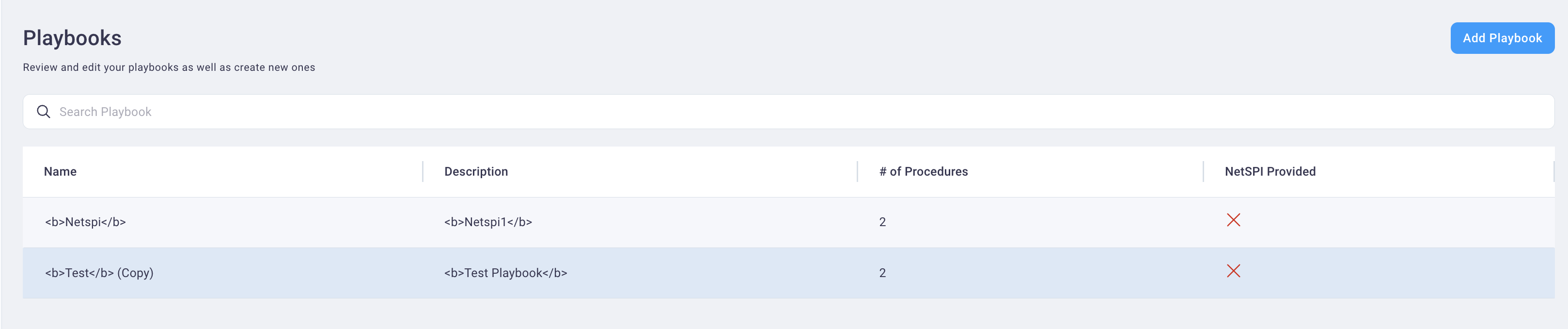
Playbooks are a combination of plays and procedures that are chained together and represent true attack scenarios.
Create Playbook
Follow the steps below to create a new playbook.
-
From the Playbooks page, select the Add Playbook button to display the Create Playbook page.
-
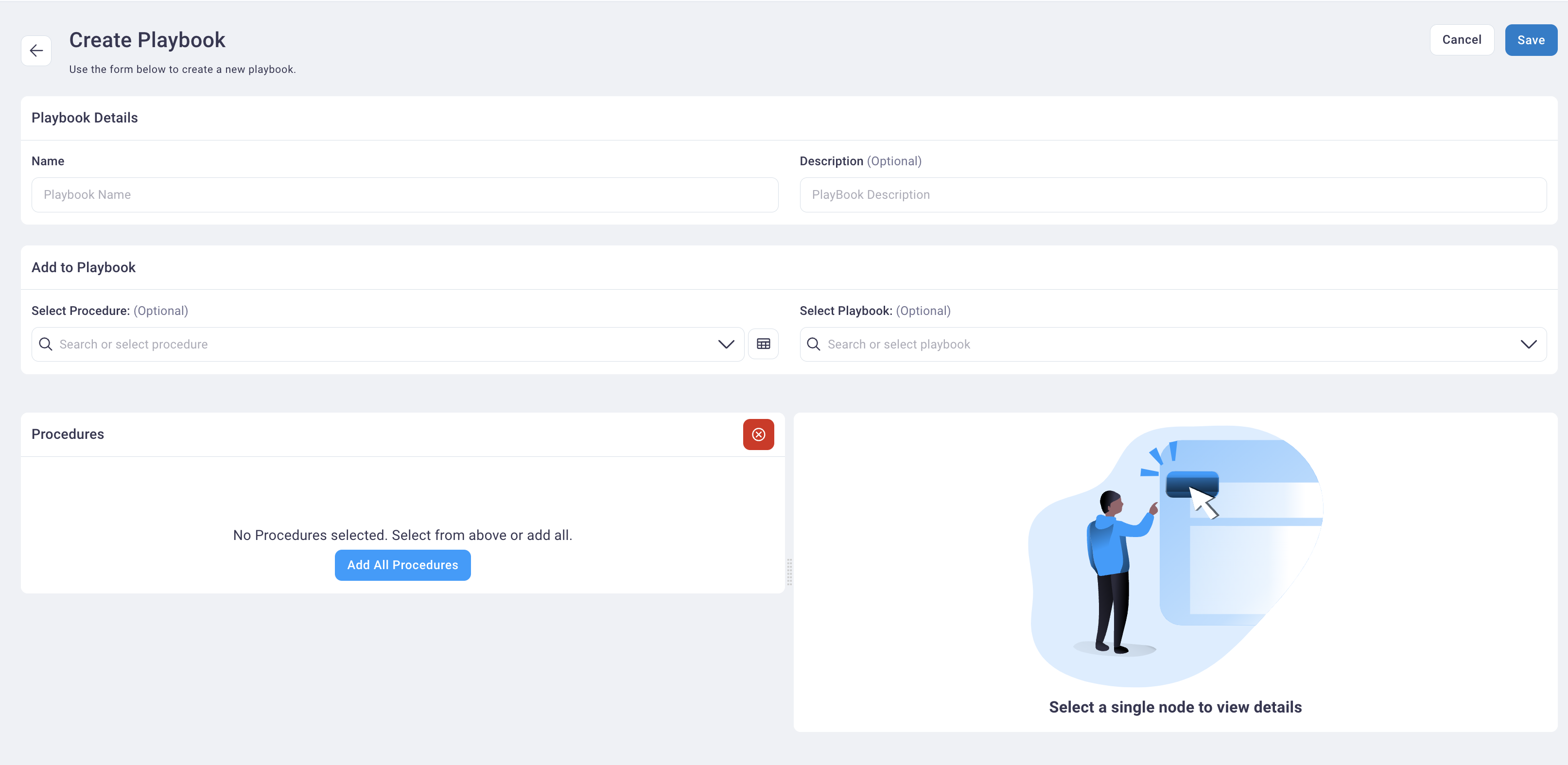
Enter a name and description in the Name and Description fields.
-
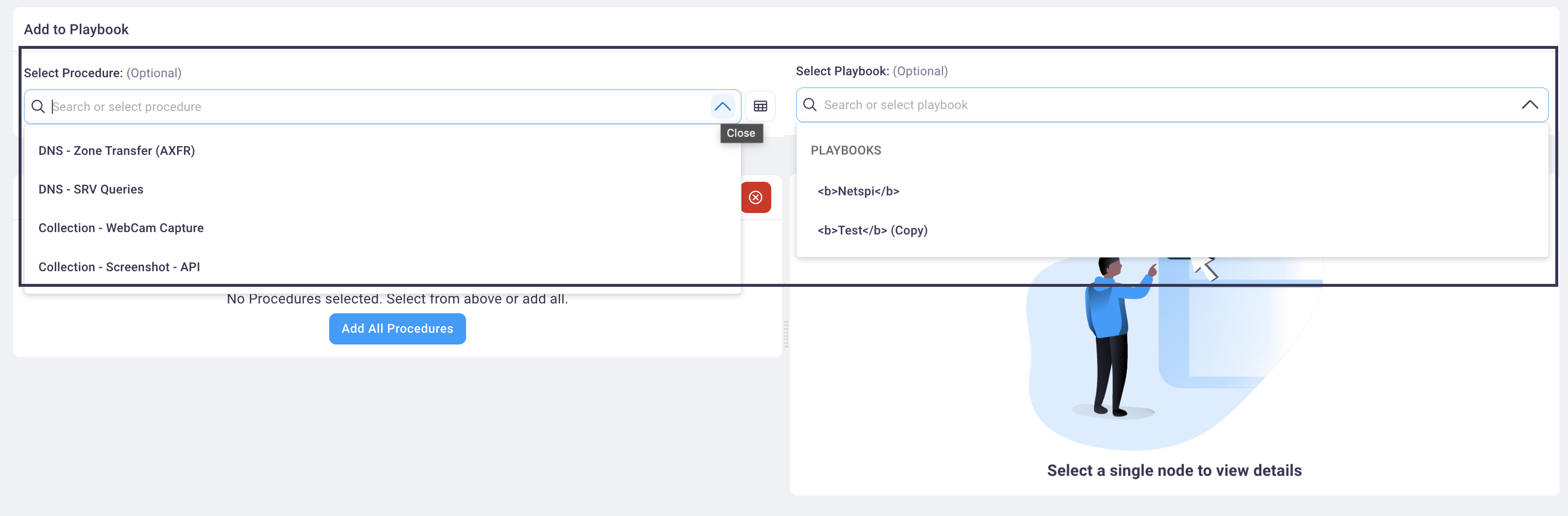
Select procedures and/or another playbook from the Select Procedure and Select Playbook drop-down lists.
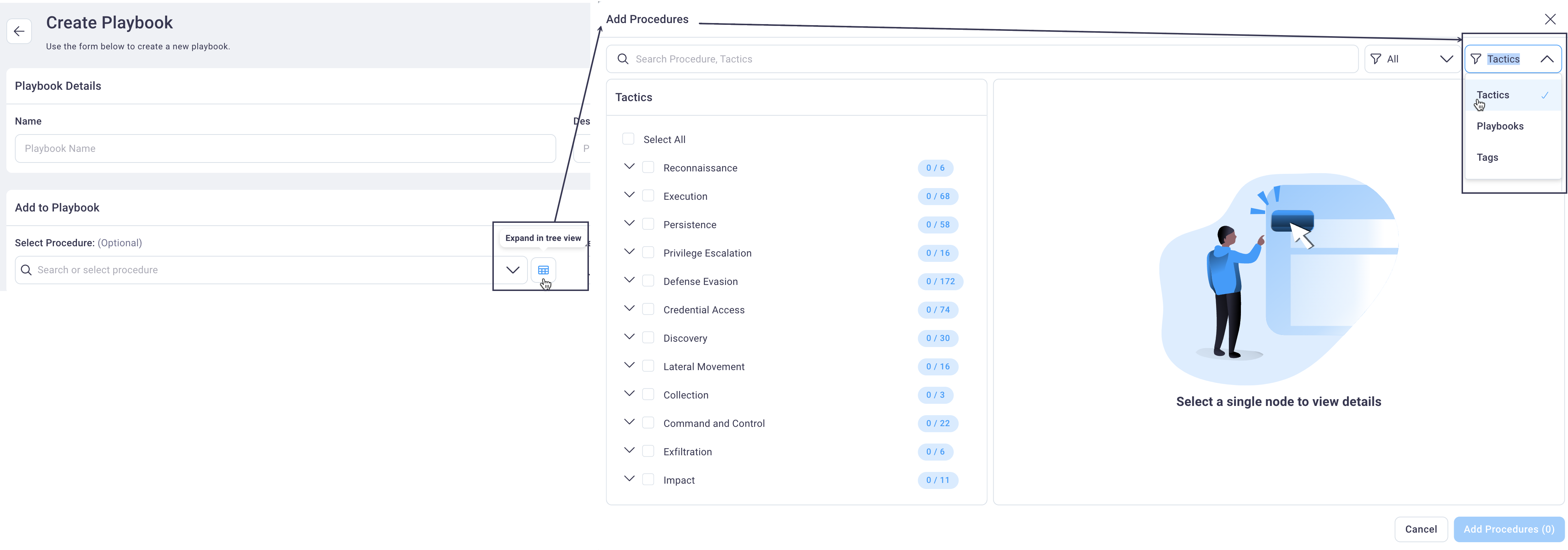
To view procedures grouped by tactics, playbooks, or tags, select the Tree View icon next to the Select Procedure field to display the Add Procedures dialog box -> select the filter to the right of the All filter and select Tactics, Playbooks, or Tags.
As you add procedures and/or a playbook, all the procedures selected (or associated with the playbook) display in the Procedures table below the Procedures drop-down list.
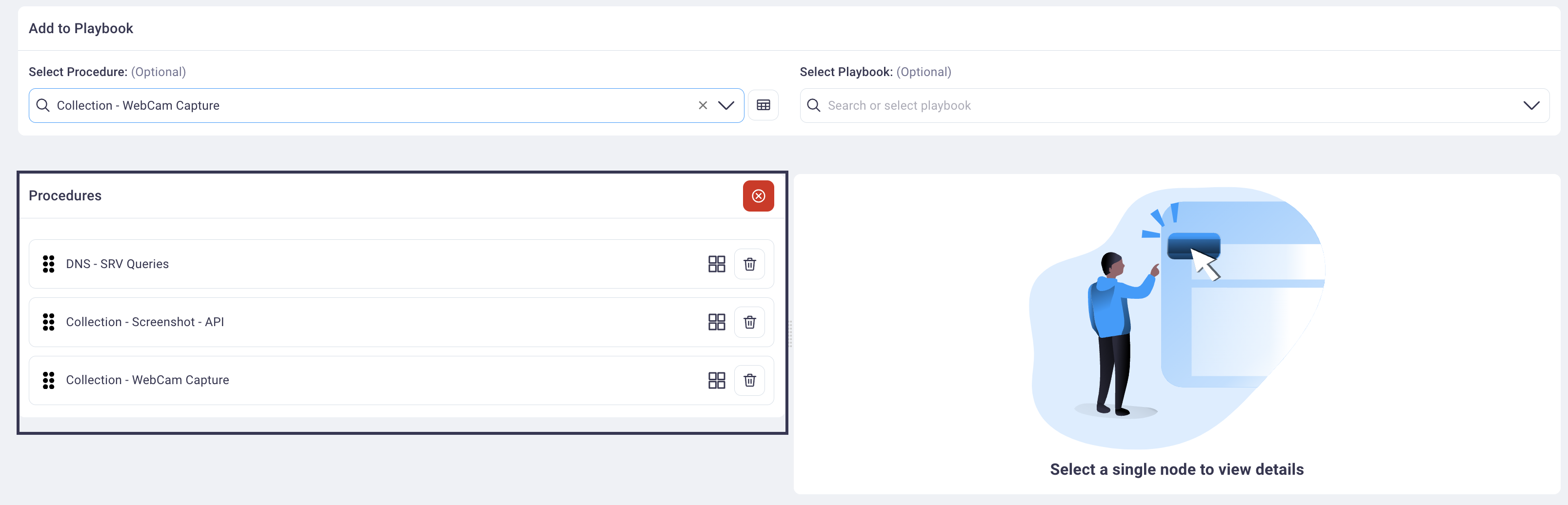
-
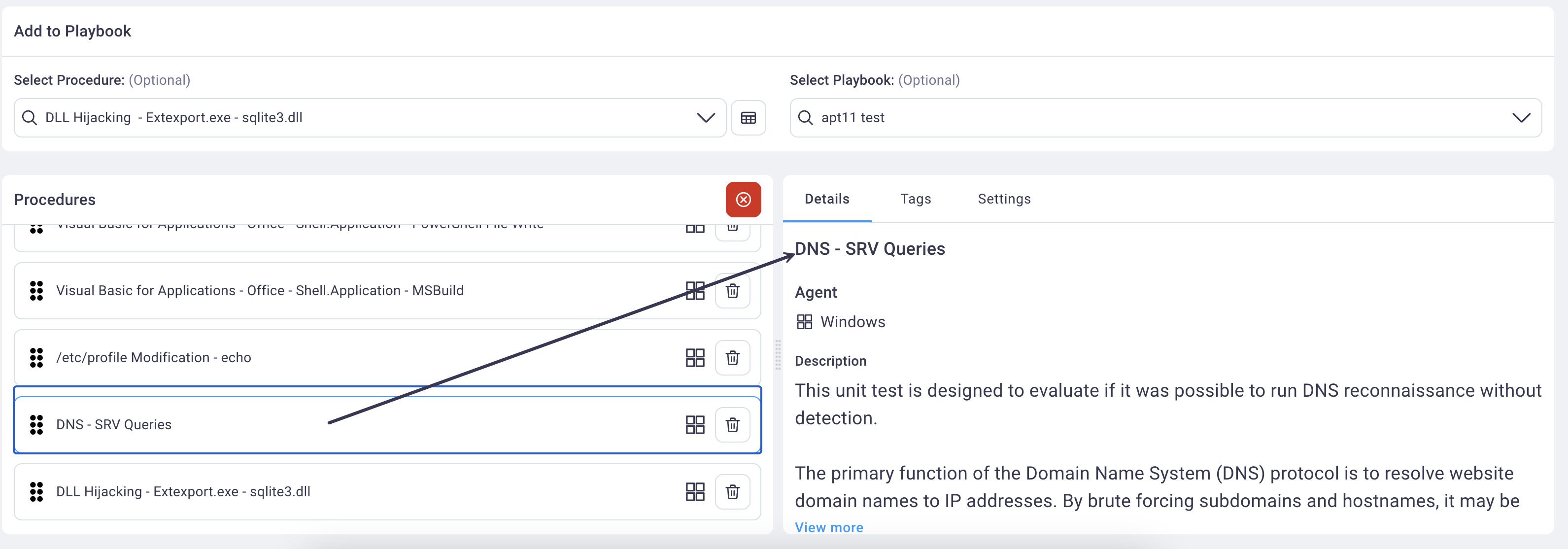
Select any procedure row in the Procedures table to view the read-only details and tags associated with the procedure, and to apply settings (Domain and sleep before/after timing for the procedure's run).
-
Select Save to save your new playbook. See the Run page for instructions on running the Playbook.
Editing a Playbook
Follow the steps below to edit a Playbook.
-
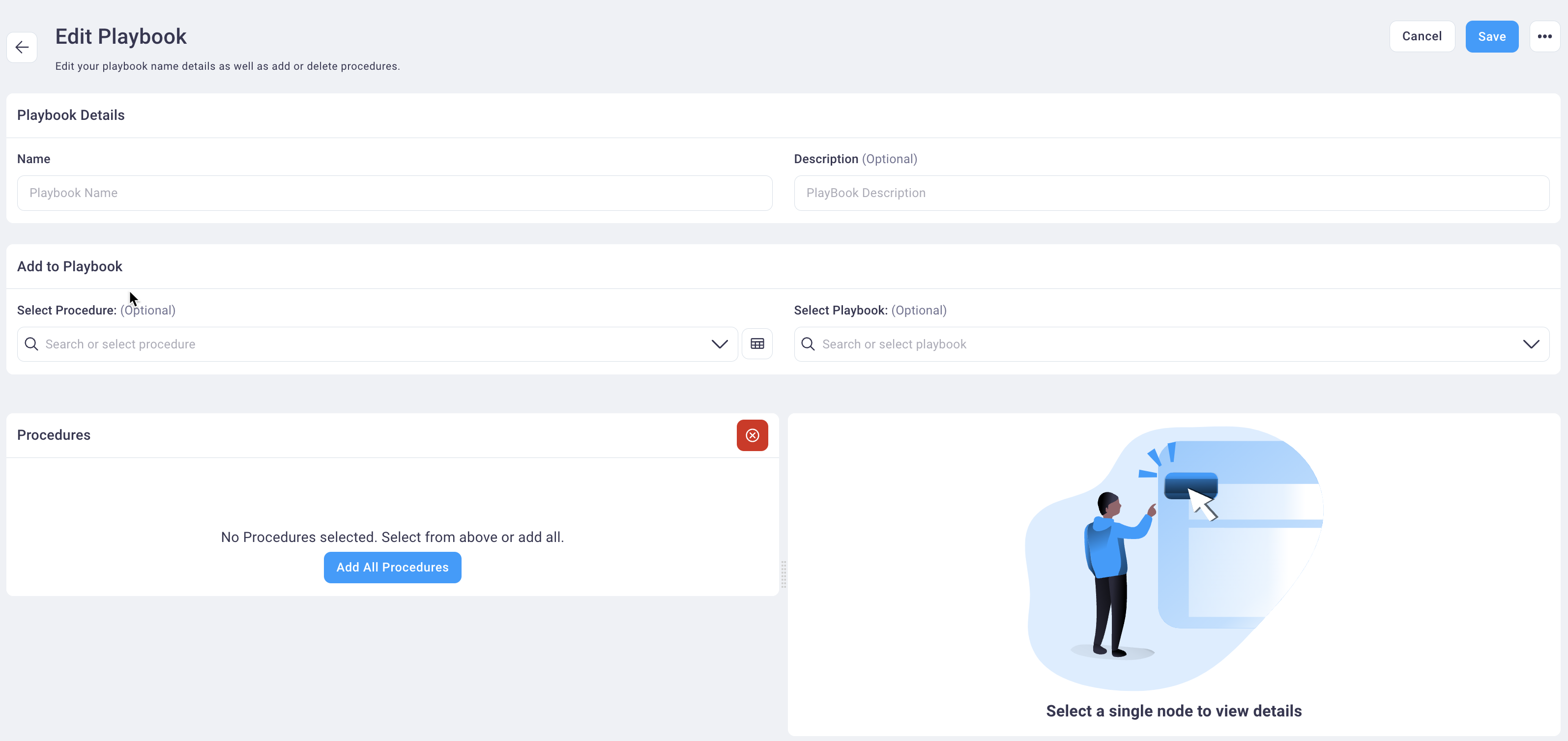
On the Playbooks page, select any Playbook row to display it in Edit mode.
-
Make the desired changes, referring to the
Create Playbook section above for value you can modify. -
Select Save to save your changes.