

Certificates
Represents an SSL/TLS certificate. Tracks certificate details including subject/issuer information, validity dates, fingerprints, serial number, public key information, and self-signed status.
SSL/TLS Certificates are a valuable source of information that is found on almost every web server on the internet. They can include information about your organization's network administrators, commonly used domain names (subject alternative names), and important dates for infrastructure updates. Certificates are commonly shared across many pieces of an attack surface, and you can select each individual certificate (which is uniquely identified by its fingerprint) to view all locations that certificate has been discovered.
Certificates are commonly found by completing a handshake with any servers identified to be using SSL/TLS and parsing the certificate that is received during that handshake.
Overview
By default, the Certificates page shows only active certificates. If there are no active certificates, the list appears empty. To see every certificate, remove the filter by clicking the X in the filter box.

List or Table View
The default view is List View sorted by Expiration. You can easily switch between view types or click the configuration gear icon to organize the list to your preference.
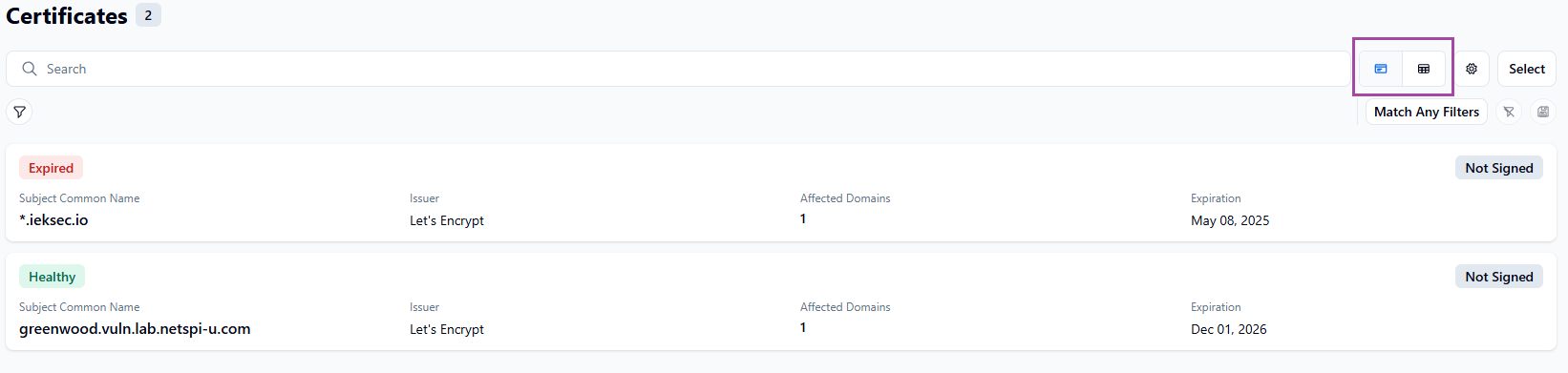
Status
- Healthy - Certificate is active and expiring in 30 or more days.
- Expiring Soon - Certificate is active and expiring in 30 or fewer days.
- Expired - Certificate is inactive, and the expiration date is past today's date.
- Inactive - Certificate's expiration start date is after today's date, or the certificate was revoked.