

Vendor Coverage
The Coverage dashboard tracks vendor coverage and performance.
-
Select the desired project from the dropdown list in the upper left corner.

-
Select the three cards at the top of the page to display details for that vendor view.
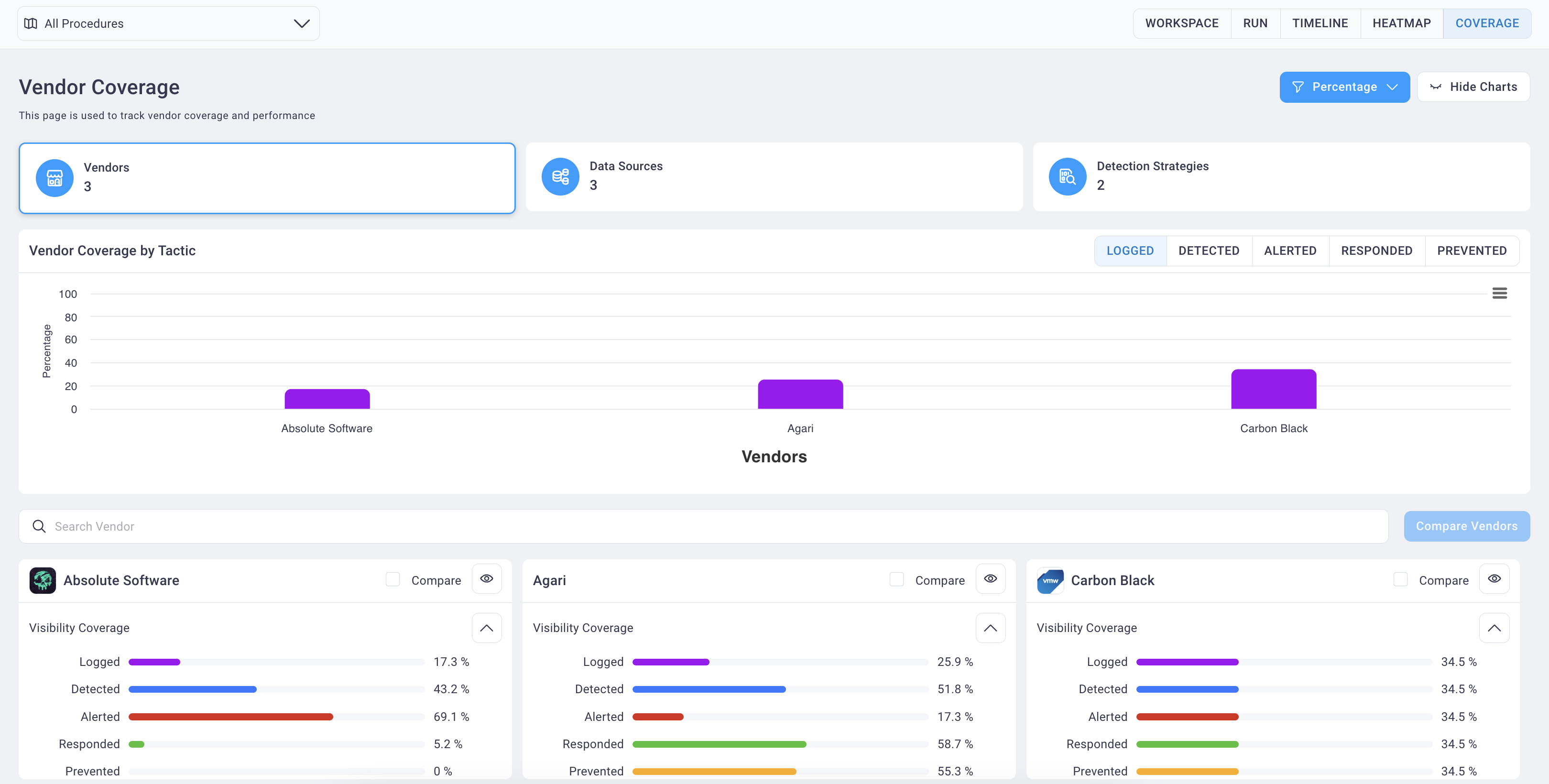
- The Vendors card view displays by default, as in the image below, comparing vendors graphically by the tactics
employed for the selected procedure and by their visibility coverage.
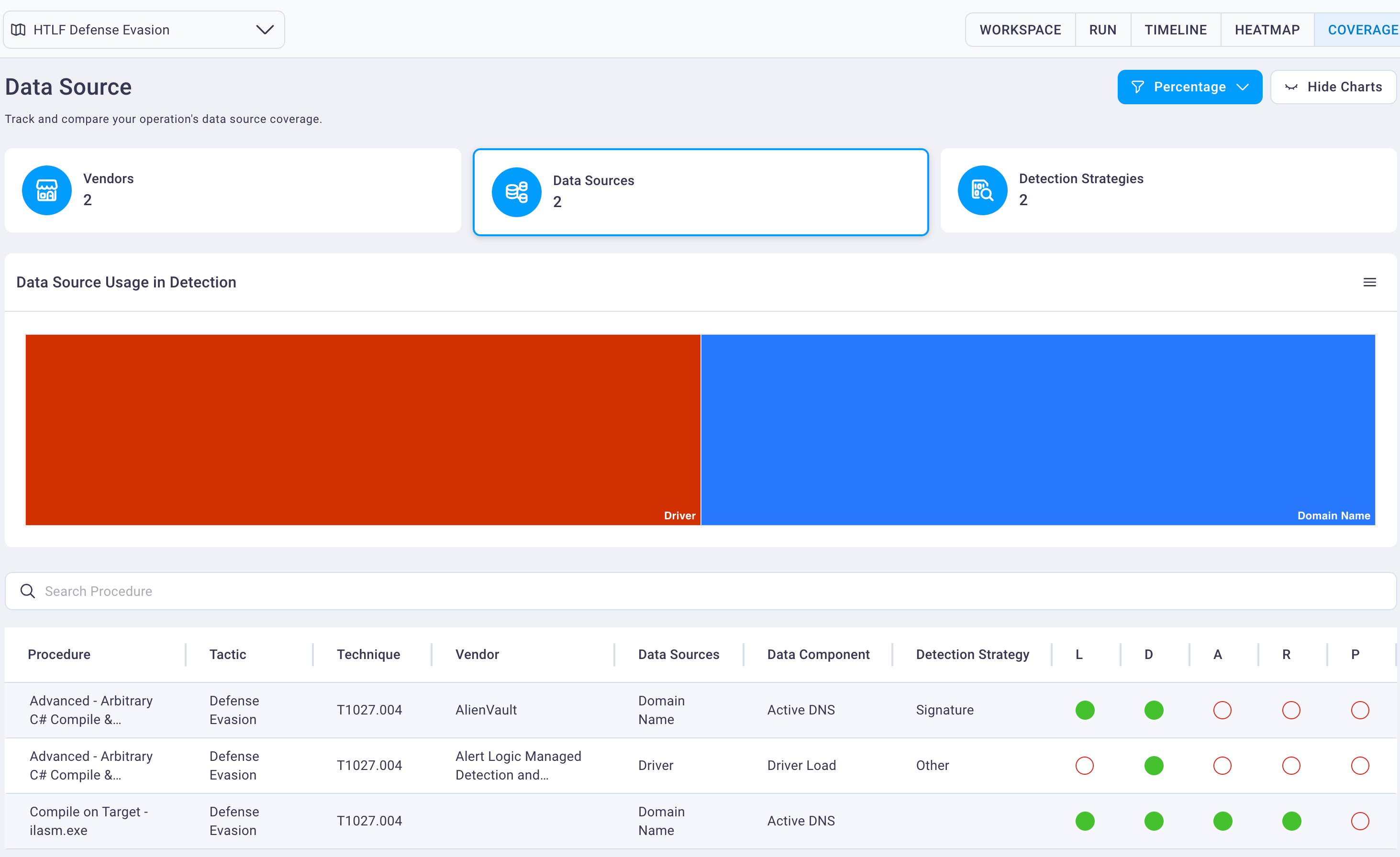
- The Data Sources card view provides a graph view of the Data Source Used in Detection followed by a table of the
procedure's details.
Note
The L, D, A, R, and P radio buttons represent the defensive evasion employed:
- Logged
- Detected
- Alerted
- Responded
- Prevented
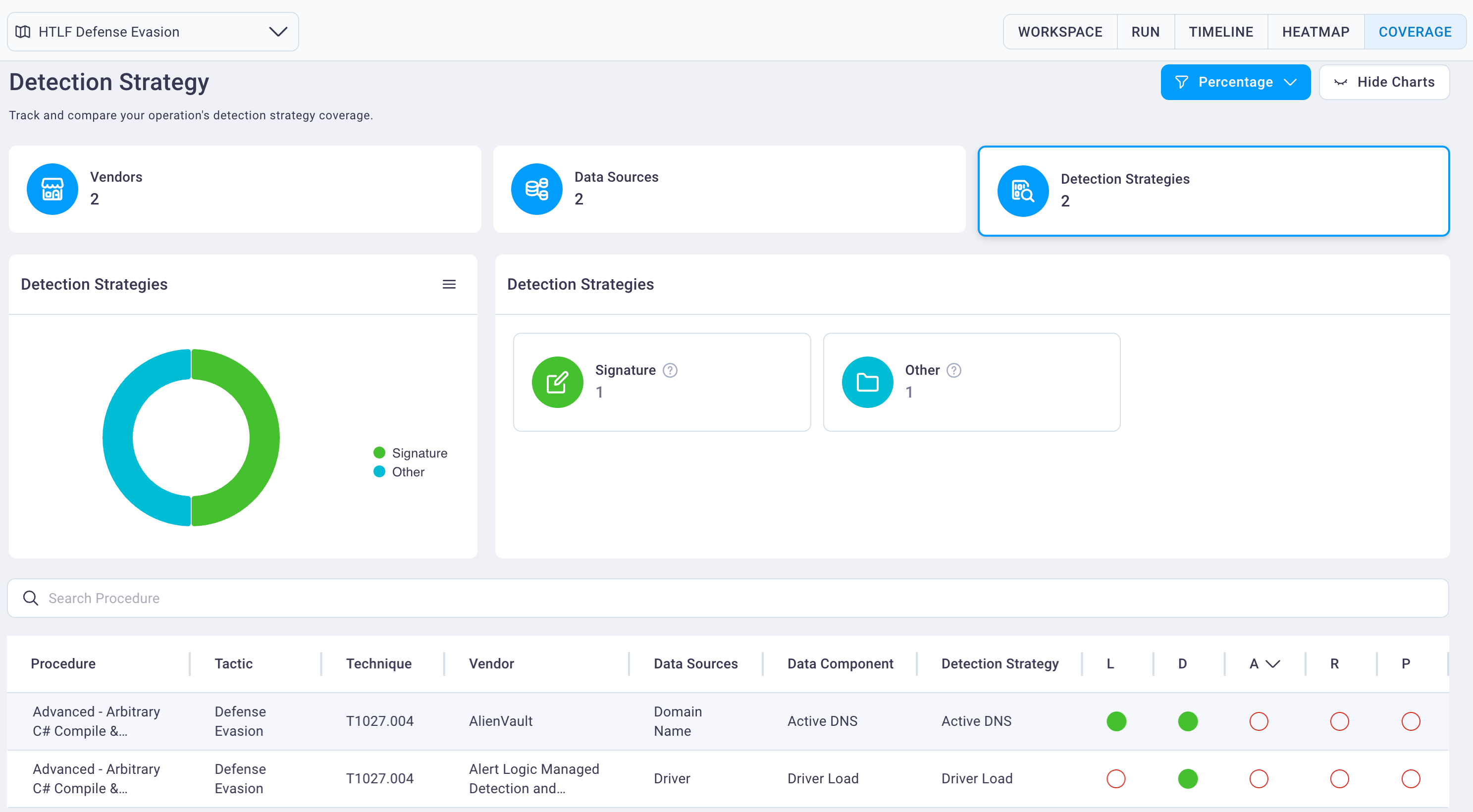
- The Data Detection Strategies card view provides insights into the different detection strategies for your
project.
-
The table below the graphs provides the procedure details with a focus on the detection strategies employed.
-
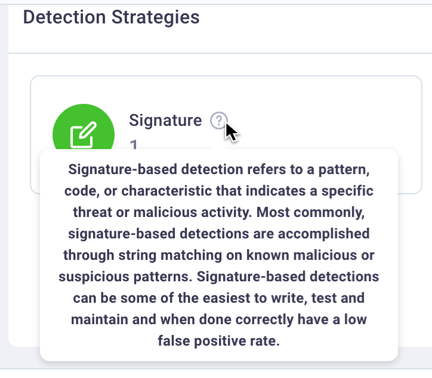
Hovering over the Detection Strategies Help icon in the right side of the page displays details about the strategy.
- The Vendors card view displays by default, as in the image below, comparing vendors graphically by the tactics
employed for the selected procedure and by their visibility coverage.