

Engagements
An engagement is a container for all the data and information related to your penetration tests, whether point-in-time or continuous. Think of it as the central hub for everything happening within a specific test.
Each engagement brings together the vulnerabilities, assets, documents, and reports discovered throughout the testing process, giving you one place to track findings and progress from start to finish.
Engagements are also where you communicate directly with NetSPI. Questions, updates, and discussions related to your test all live here, so you always know where to find the latest information and how to reach your testing team.
The Engagement grids include all ongoing and completed engagements you've been provisioned to access.
Choose how you want to view your data: Kanban, List, or Table. To switch between them, select the corresponding button (in the order listed above) to the right of the search bar on any engagement grid.

Card views
Kanban view
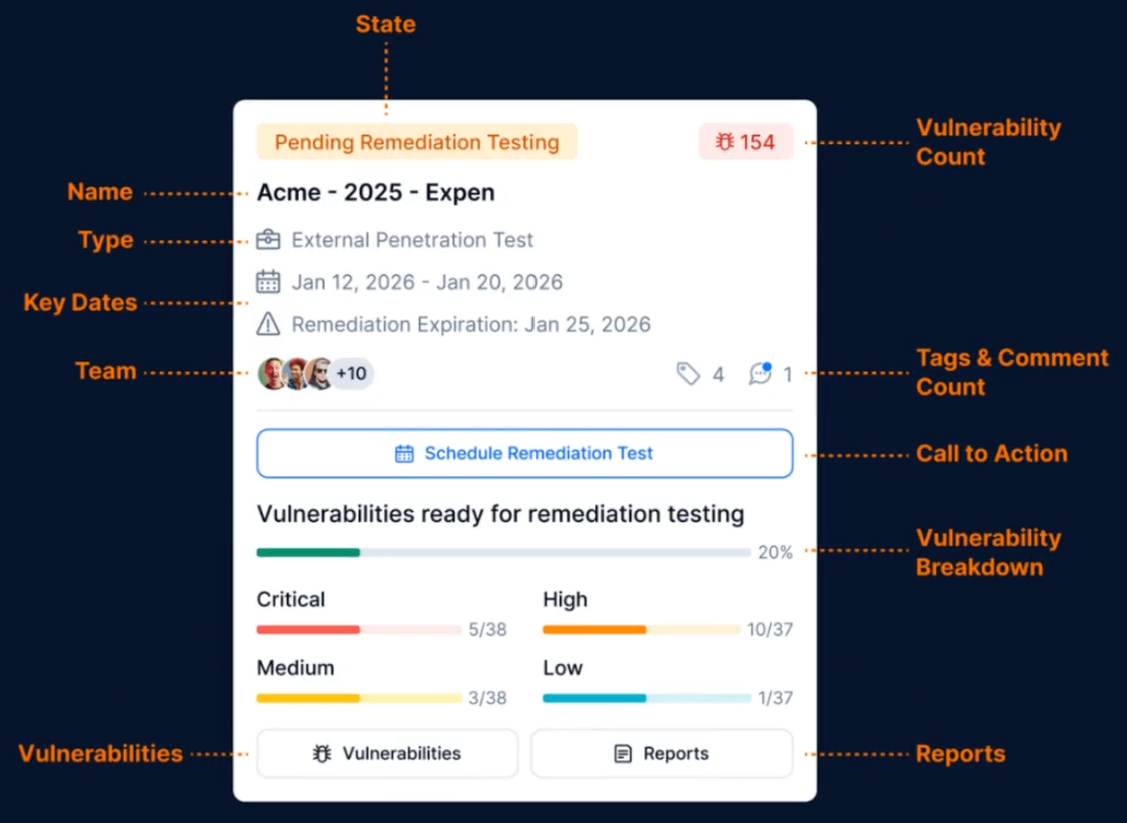
In the kanban view, engagements are grouped into three clear columns: Upcoming, In Progress, and Completed. In these views, each engagement card highlights key details based on its current state—keeping context and next steps front and center.
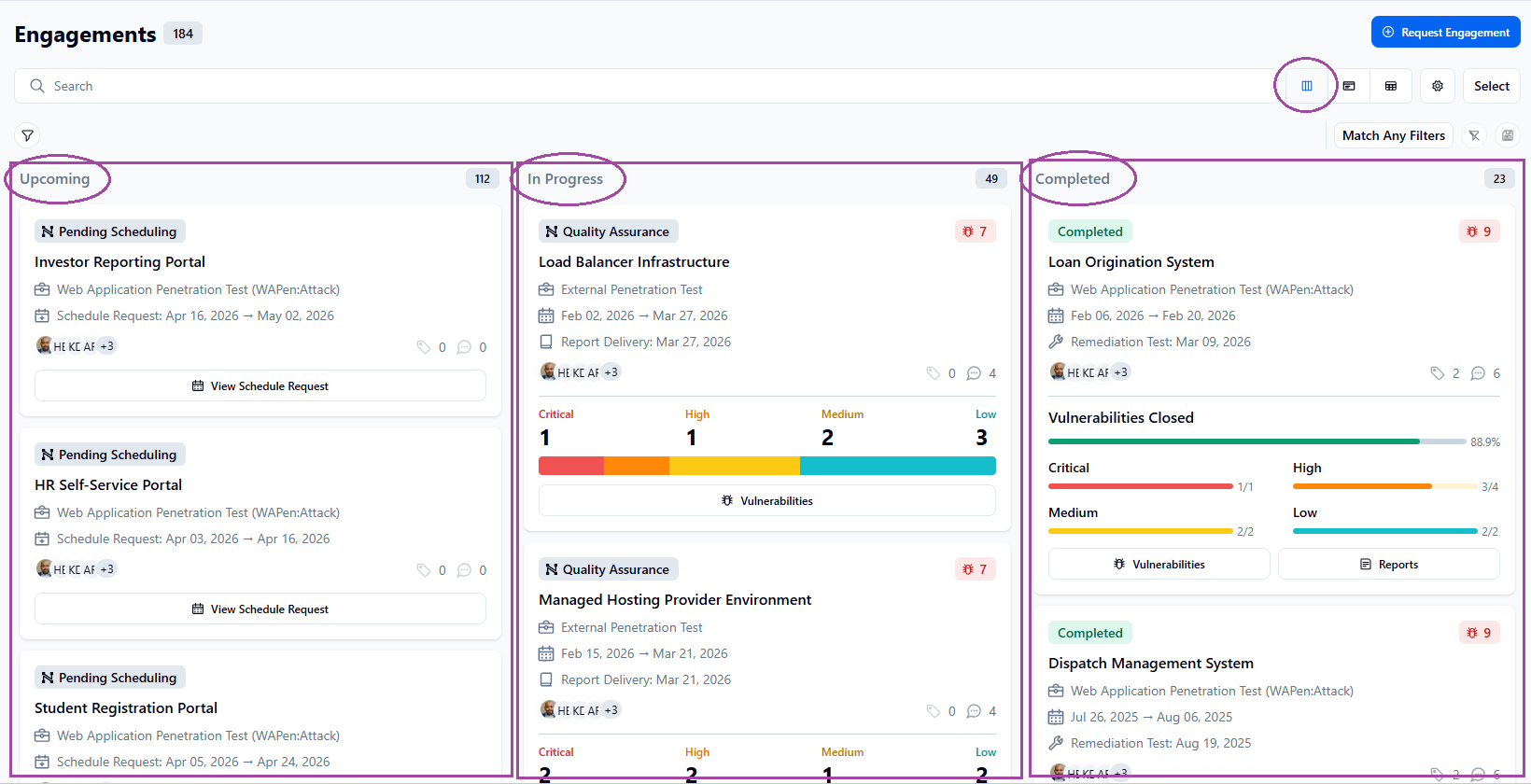
Of all the views, the kanban view provides the most details at-a-glance.
List view
The list view offers a simplified, responsive layout that mimics a table while keeping information clean and easy to read.
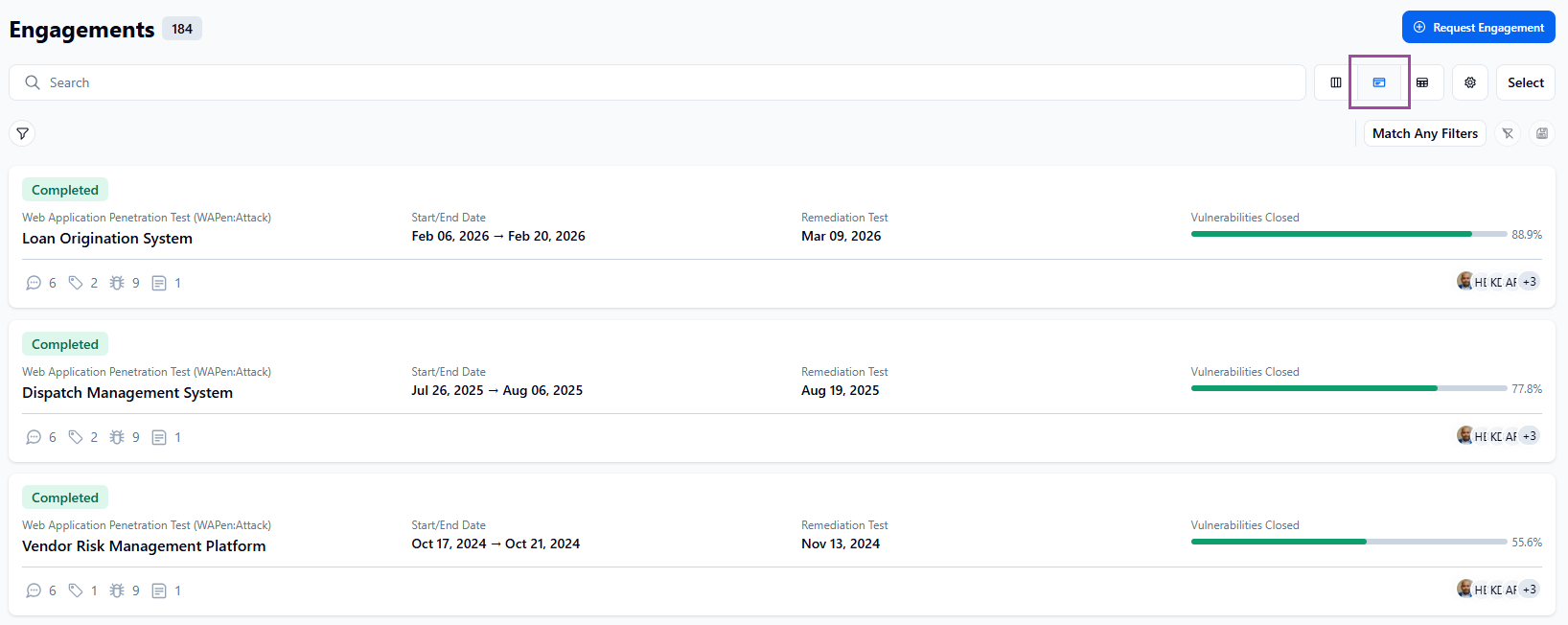
Table view
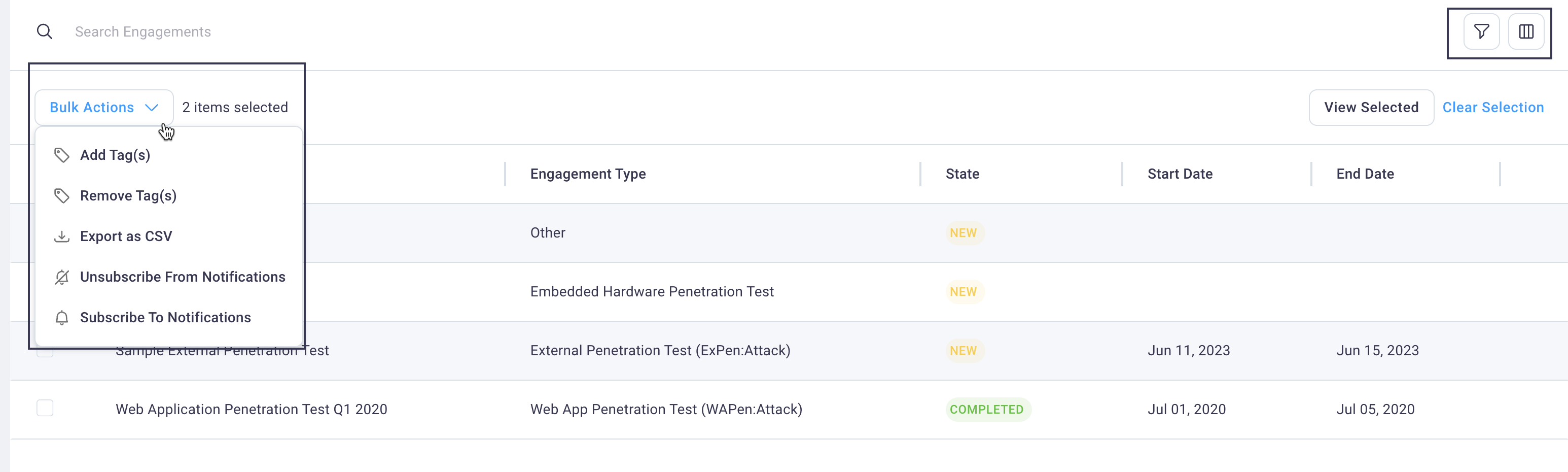
The table view lets you fully customize how you see your data. Adjust columns and filters to surface the information that matters most for your use case.
Engagement states
One common element of all views that is prominently displayed is the engagement state. You can use search to filter using a complete list of engagement states. Engagement States