

Domain Monitoring
Currently, opening Domain Monitoring redirects to the Legacy NetSPI Platform Lookalike Domain Monitoring. Once the new platform UI is complete, content will automatically transfer to the Domain Monitoring dashboard.
NetSPI's Domain Monitoring service helps organizations discover and take action against lookalike domains that resemble your legitimate domains and may be used for brand impersonation, fraud, phishing attacks, or malware distribution.
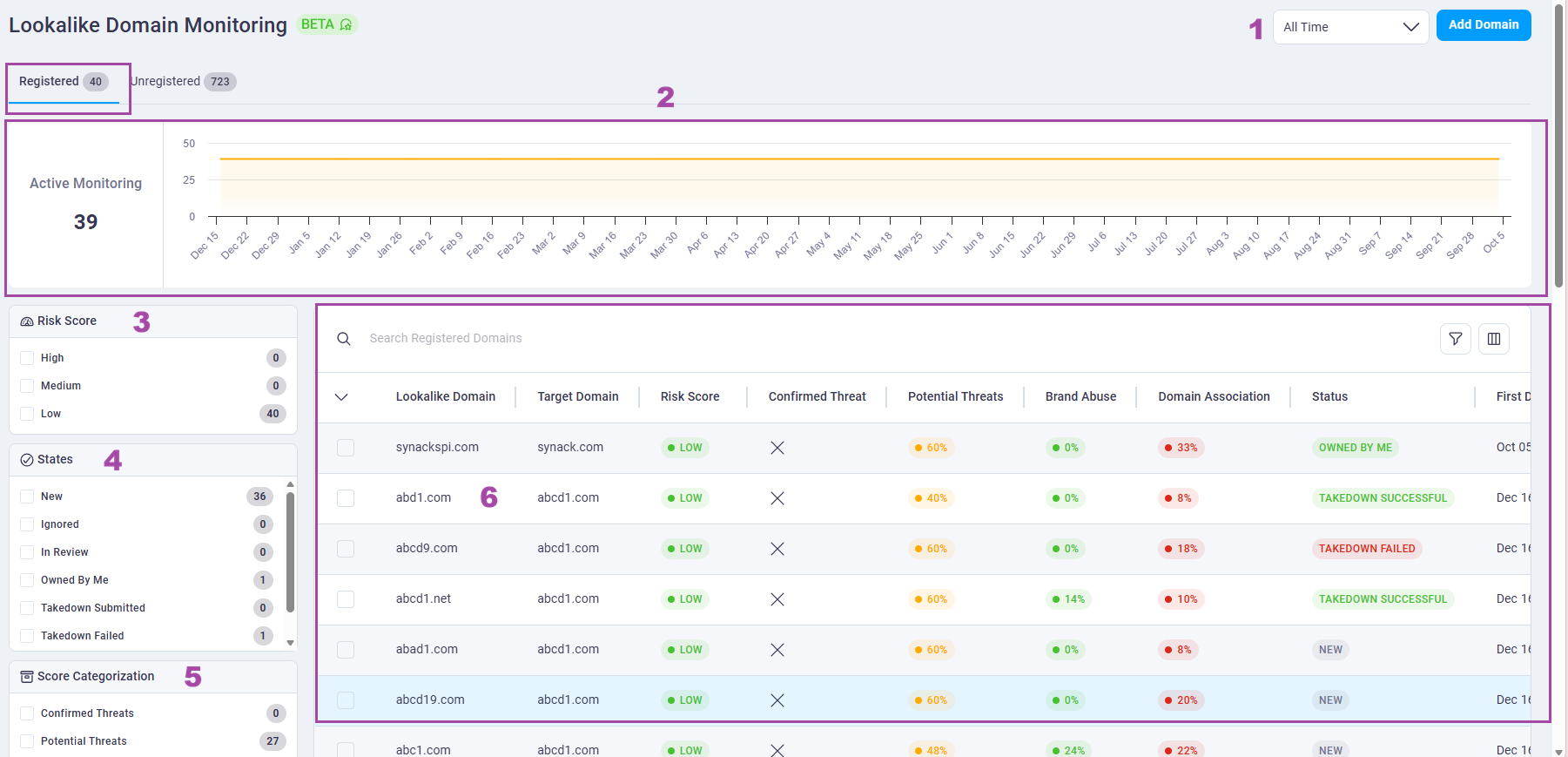
Registered domain categories help organizations better understand which suspicious lookalike domains could represent a threat to their organization. Categories include:
- Confirmed Threat
- Potential Threat
- Potential Brand Threat
- Domain Association
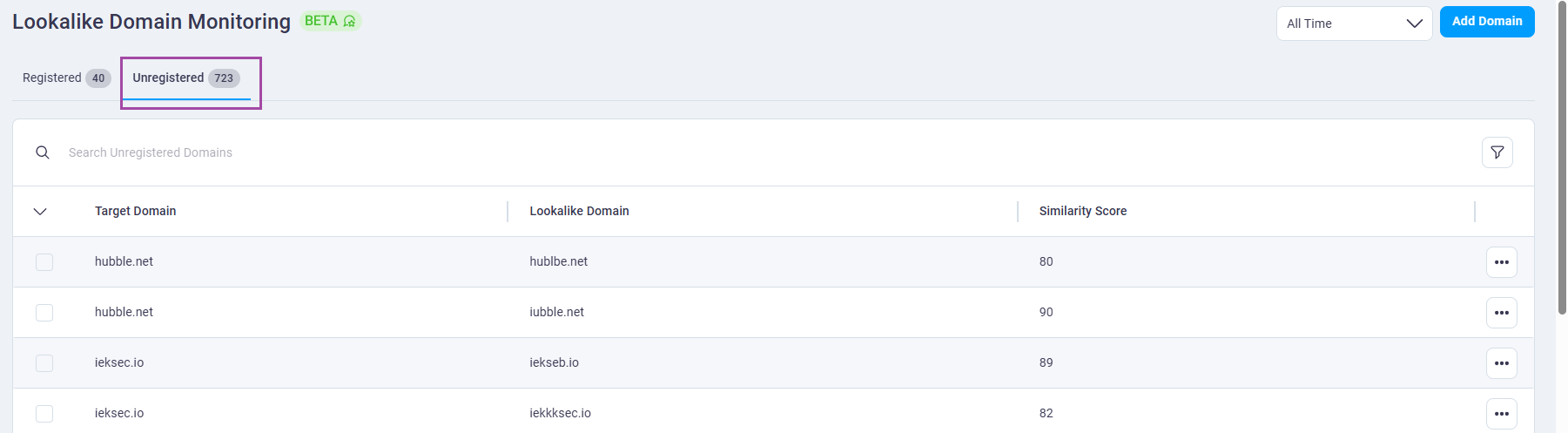
Unregistered domains present a proactive defense opportunity. Buying these domains before threat actors can weaponize them. All data on this tab can be accessed via API or exported to CSV/JSON.
Registered Lookalike Domain Monitoring overview
Unregistered Lookalike Domain Monitoring overview
Lookalike Domain Monitoring details
Unregistered domains do not have a details page.
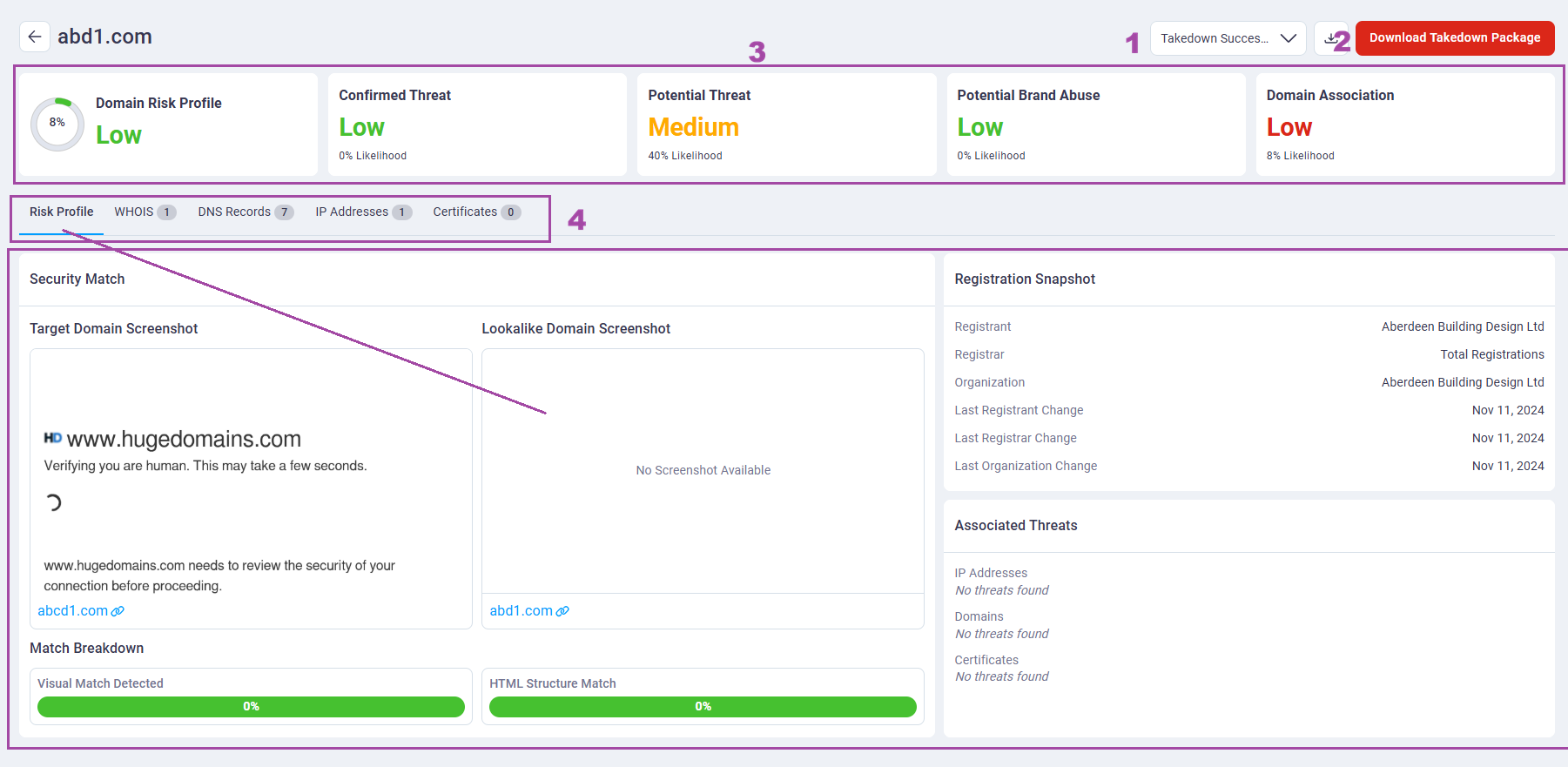
Registered Domain Categories
- Domain Risk Profile: The overall risk profile score for the domain.
-
Confirmed Threat: A registered lookalike domain that has been verified as malicious or is actively being used to target the organization, its employees, customers, or partners.
-
Examples include: Phishing sites, fraudulent login pages, credential-harvesting portals, malware distribution sites, and domains used in targeted attacks.
-
Risk level: High—active exploitation is occurring or available evidence indicates imminent malicious use.
-
Recommended action: Preserve evidence, block the domain and related indicators where appropriate, notify affected stakeholders, investigate the scope of exposure, and submit a takedown request to the provider.
-
-
Potential Threat: A registered lookalike domain that exhibits suspicious characteristics or activity consistent with preparation for phishing, fraud, malware delivery, brand impersonation, or a targeted attack, but for which direct evidence of malicious use has not yet been confirmed.
-
Indicators may include: Newly issued TLS certificates, resolving IPs in high-risk regions, DNS patterns, or suspicious WHOIS configuration information.
-
Risk level: Medium–High—the domain presents credible warning signs, but malicious intent or active exploitation has not been verified.
-
Recommended action: Investigate the domain's registration, hosting, DNS, certificate, email, and content history. Escalate to Confirmed Threat if evidence of malicious use is identified.
-
-
Potential Brand Abuse: A domain that impersonates your organization or brand to mislead users, typically for financial gain.
-
Examples include: Fake job sites, scam storefronts, counterfeit brand pages, and phishing sites that solicit financial information while posing as your organization.
-
Risk level: Medium—may harm brand reputation and create legal exposure.
-
Recommended action: Investigate the domain's purpose and activity, then determine the appropriate response.
-
- Domain Association: Measures how closely a lookalike domain aligns with your organization's legitimate domain footprint.
-
Signals include: Domain structure and keyword similarities, website content and imagery, registration details and regions, DNS and hosting providers, shared cloud accounts, employee or affiliate activity, and DNS behavior that resembles known assets.
-
Use case: Helps prioritize domains for investigation, acquisition, or proactive defense.
-
Investigation Capabilities
For every detected lookalike domain, the domain monitoring capabilities also provide rich contextual metadata to support investigation and response. The content of the section changes based on the tab selected:
- Risk profile: Overall risk score, site comparison, threat profile, registration info
- WHOIS records: registrar, registrant info, creation/expiry dates
- DNS Records: A, MX, CNAME, TXT, etc.
- IP Addresses: geolocation, hosting provider, ASN
- Certificates: issuer, validity, fingerprint, SAN entries
The investigation sections also provide insights into which resources are used by assets known to be owned by the company to help provide additional context.
Download Takedown Package
Any high-risk domain can be used to generate a downloadable takedown report, pre-filled with relevant evidence and technical details.
These reports are designed to assign IT organizations and legal departments when preparing to send takedown requests to:
- Hosting providers
- Domain registrars
- Threat intelligence sharing networks
- Legal/brand protection teams
Click Download Takedown Package to save a PDF of the selected domain to your computer that can be sent to stakeholders.
Domain management
Add Domain
You can add a domain from the registered or unregistered lookalike domain pages.
To manually add a lookalike domain, follow these steps:
- Click Add Domain. The Manually Add Lookalike Domain dialog box opens.
- Enter the lookalike domain name in the field.
- Select a target domain that the lookalike is associated to from the list.
- Click Add Domain.
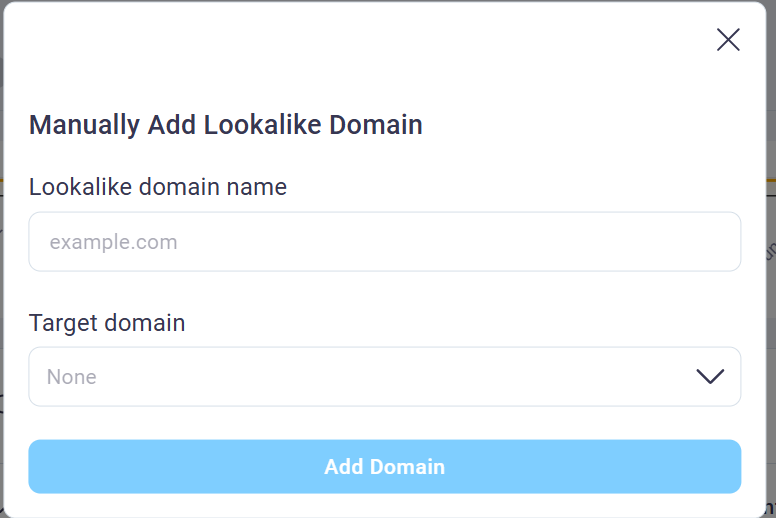
Change domain status
Unregistered domains do not have a status.
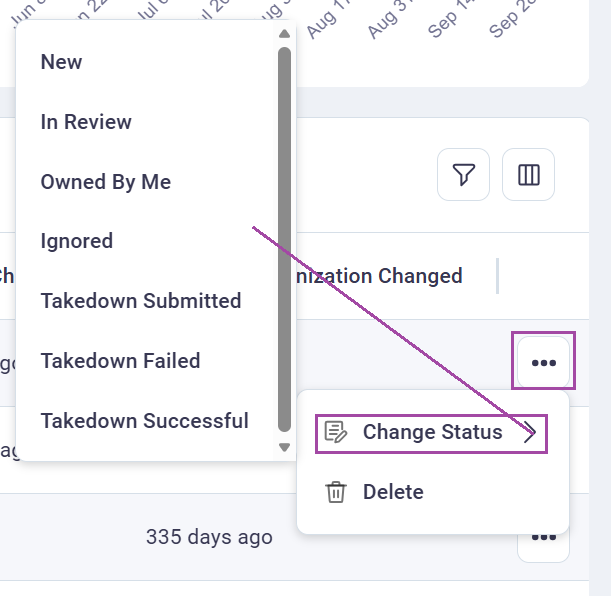
Follow these steps to change the state of a domain.
- Select the domain from the registered table list.
- Scroll to the end of the row to the action menu.
- Click Change Status.
- Select a status from the list.
- The status automatically updates.
Delete a domain
Follow these steps to delete a domain.
- Select the domain from the table list.
- Scroll to the end of the row to the action menu.
- Click Delete.
- Confirm the deletion, click Confirm.
- The domain is deleted.