

Quick start for the NetSPI Platform
The information below will get you up and running quickly on the NetSPI Platform.
Setting up your NetSPI Platform account
If you have never logged into the NetSPI Platform before, see the instructions to set up your new account.
Accessing the NetSPI Platform
- In your web browser, navigate to: https://platform-next.netspi.ai/
- From there, you will be prompted for your credentials.
Logging into the NetSPI Platform
Logging into the NetSPI Platform is easy.
- Open a web browser tab to: https://platform-next.netspi.ai/
- You'll be prompted to enter your name, email, phone number, and to create a password.
- Next, you'll be prompted to set up your preferred MFA (multi-factor authentication) method of choice, scan the bar code, and then enter the authenticator's response into the NetSPI login page when prompted.
If you need detailed instructions on initial login or MFA options, see the "Set up your NetSPI Platform account" topic.
Who to contact if you need assistance
Please contact NetSPI's Support Department if you need assistance.
Navigating the NetSPI Platform
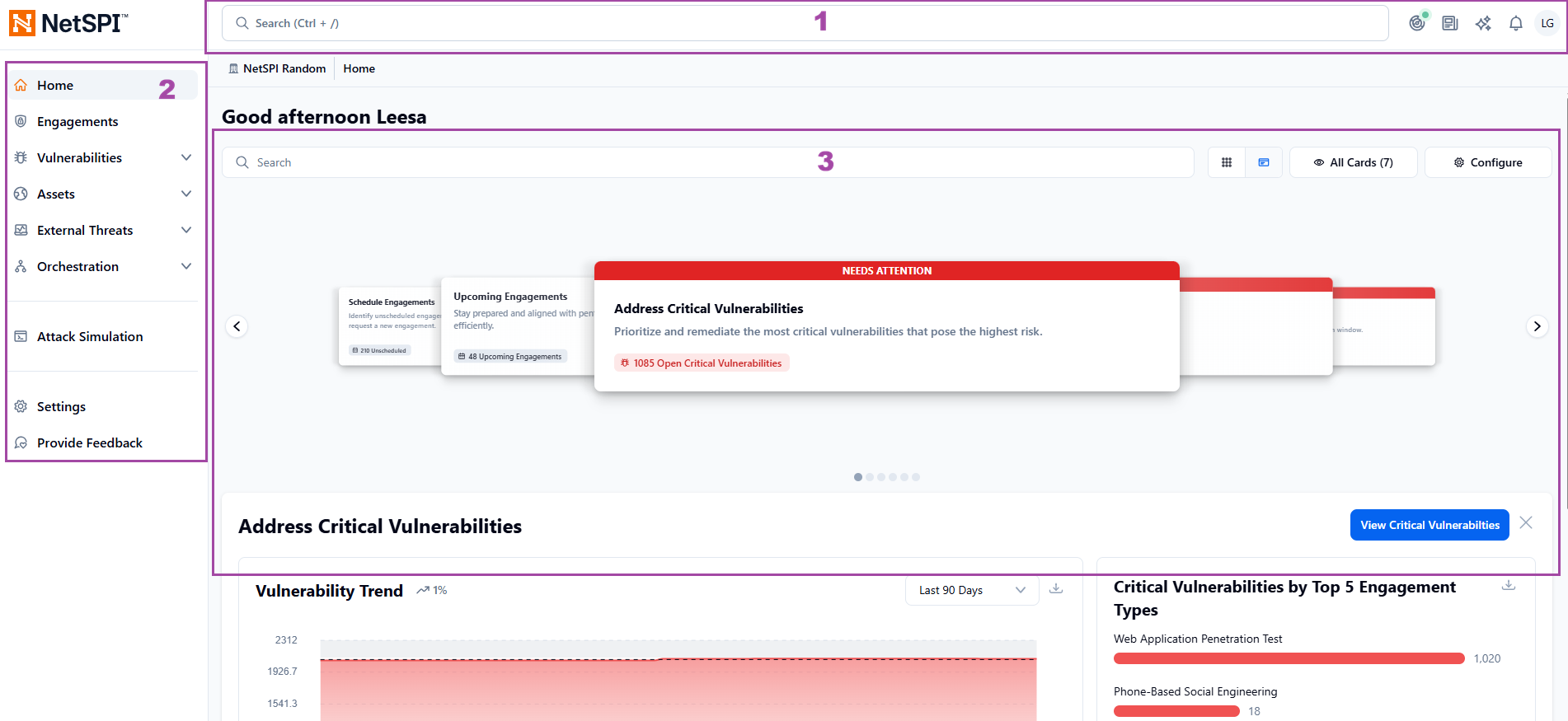
The NetSPI Platform is divided into three sections:
-
The top menu includes global search, activity, news and updates, the NetSPI chatbot, notifications, and profile settings and configurations.
-
The left menu is where you select sections and subsections to explore.
-
The workspace area contains the most critical, actionable information, based on your selection from the top or left menu so you can complete common use cases in two clicks or less. For example, on the Home Page, you'll see engagement-focused cards that highlight what needs attention. For example, Upcoming Engagements surfaces open action items, and Engagements in Progress provides a quick summary of your active work. You can customize the look of your Home page. Learn more here: Home Page Setup
Learn more here: Navigation.
Next steps
Adding new users for your organization to the NetSPI Platform
You must have administrative privileges to add new users to the NetSPI Platform. These steps are covered in detail in the Administration section on User Management.