
Settings
Overview
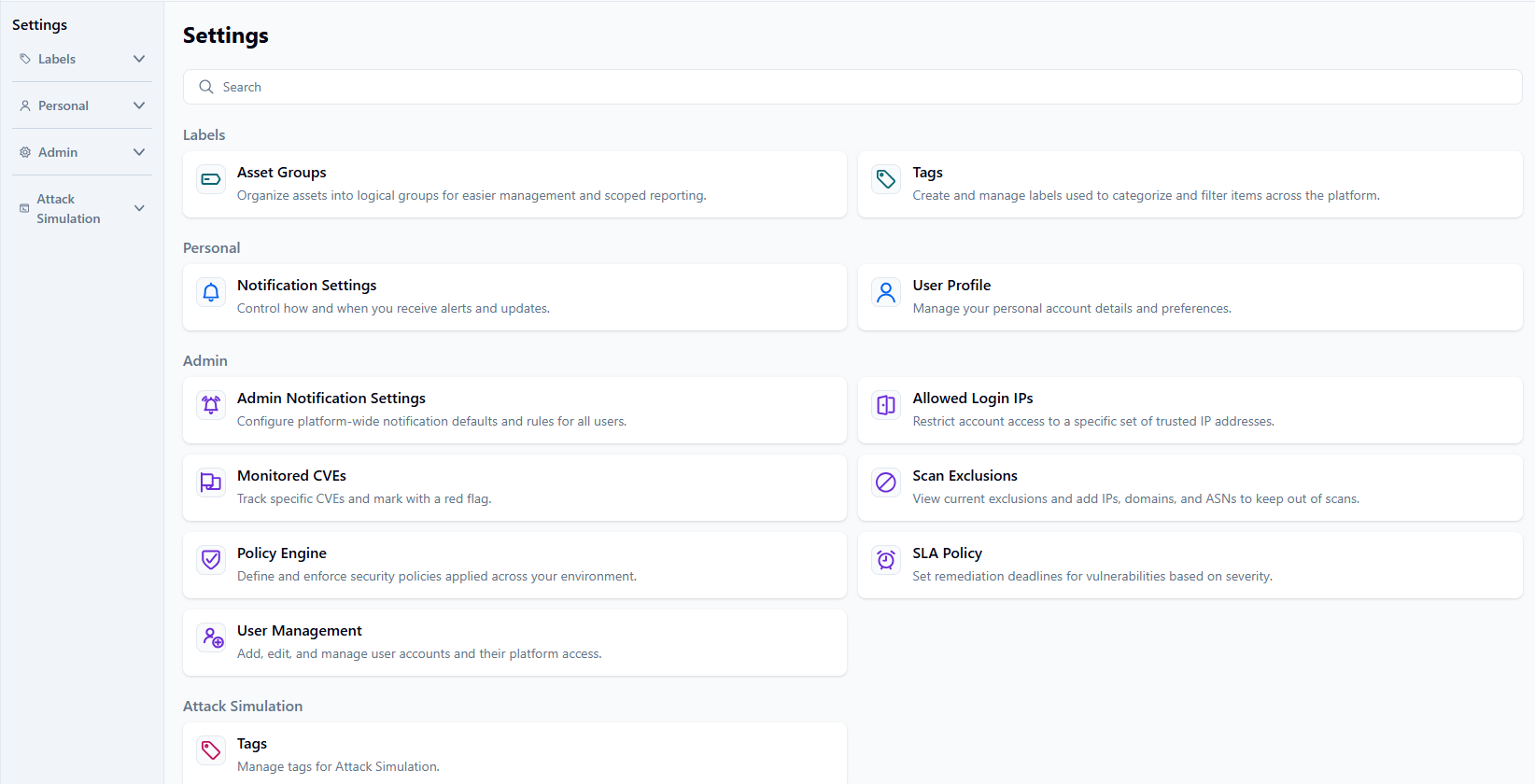
On the Settings page, there are four areas that a user or admin can use to set up their ideal NetSPI platform experience.
-
Labels provide organization and easier management of items across the platform.
-
Personal allows you to customize the platform to your preferences.
-
Admin is for users with admin privileges granted to configure platform-wide changes that will impact all users within their tenant.
-
Attack Simulation is used to manage tags. This section is currently being developed, but you can manage your attack simulation tags in the legacy experience.
Labels
The Label settings are used for organizational purposes across the platform. When used, they are visible to everyone, but only the user who created the asset group or tag can edit it.
Asset Groups
You can organize assets into logical groups for easier management and scoped reporting.
Tags
You can create and manage labels to categorize and filter items across the platform.
Personal
The Personal settings are user-specific settings based on the signed-in user to the platform.
Notification Settings
You can control how and when you receive alerts and updates.
User Profile
You can manage your personal account details and preferences.
Admin
The Admin settings are intended to apply across the platform to all users.
You must have Client Admin user privileges granted to access these settings.
Admin Notification Settings
A Client Admin can configure platform-wide notification defaults and rules for all users.
Allowed Login IPs
A Client Admin can restrict account access to a specific set of trusted IP addresses.
Monitored CVEs
You can track specific CVEs and flag them in red.
Scan Exclusions
You can view exclusions and add IPs, domains, and ASNs to keep out of scans.
Policy Engine
You can define and enforce security policies applied across your environment. This setting is currently being developed, but you can manage your policies in the legacy experience.
SLA Policy
You can set remediation deadlines for vulnerabilities based on severity.
User Management
A Client Admin user can add, edit, and manage user accounts and their platform access.