

Slack
Use the steps below to configure an integration between the NetSPI Platform and your organization's Slack instance.
-
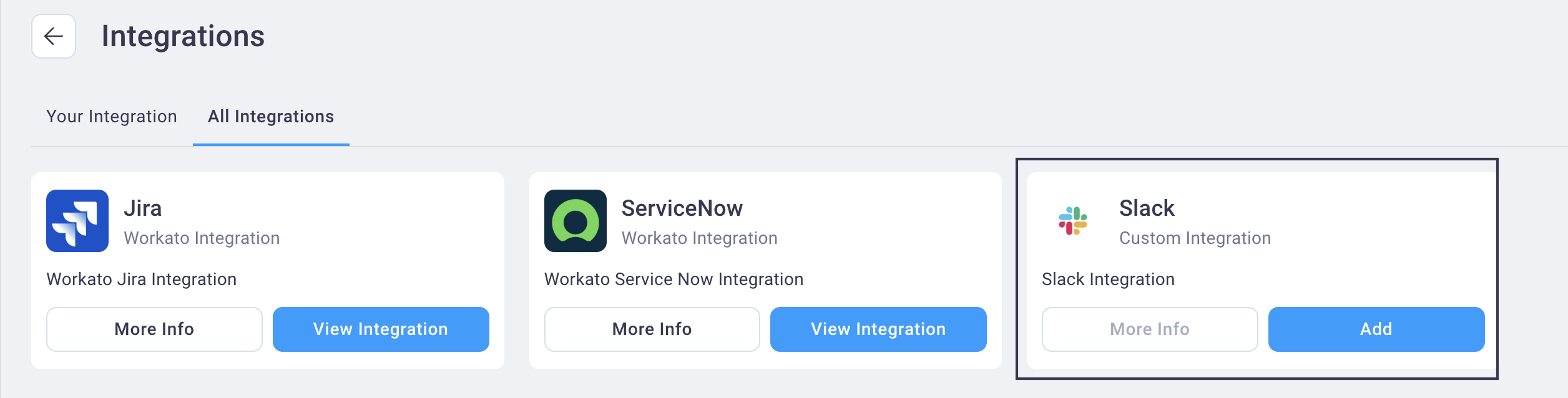
Navigate to Settings -> Integrations and select the All Integrations tab to view the Slack integration card.
-
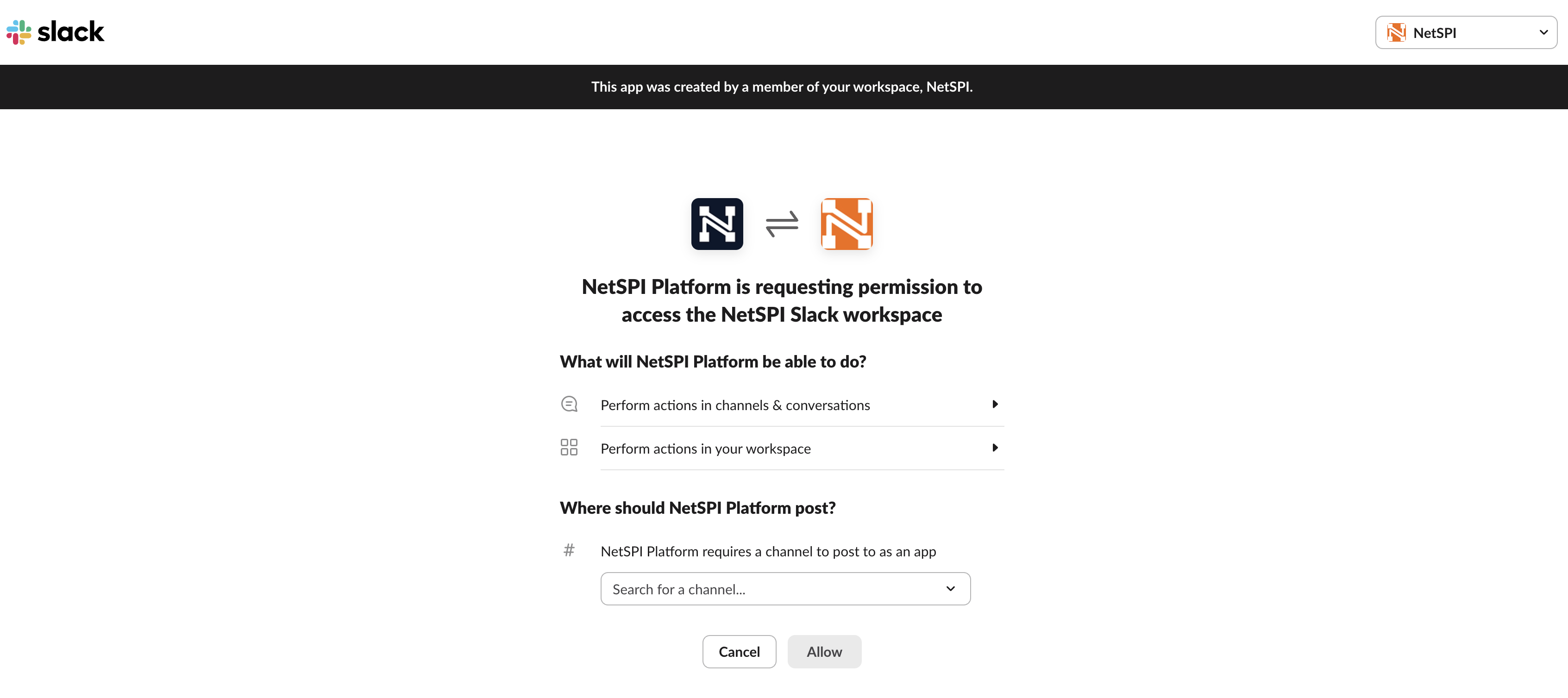
Select the Add button to display the Slack permissions page.
-
Select a channel from the Where should the NetSPI Platform post? drop-down list and then select Allow to save the configuration and begin receiving Slack notifications from NetSPI to that channel.
-
Then navigate to the Admin Notification page to enable Slack notifications when comments are added.